Clientshare reviews allow clients to:
- Leave written feedback alongside scores
- Request follow-up sessions with your team
- Log in to Pulse
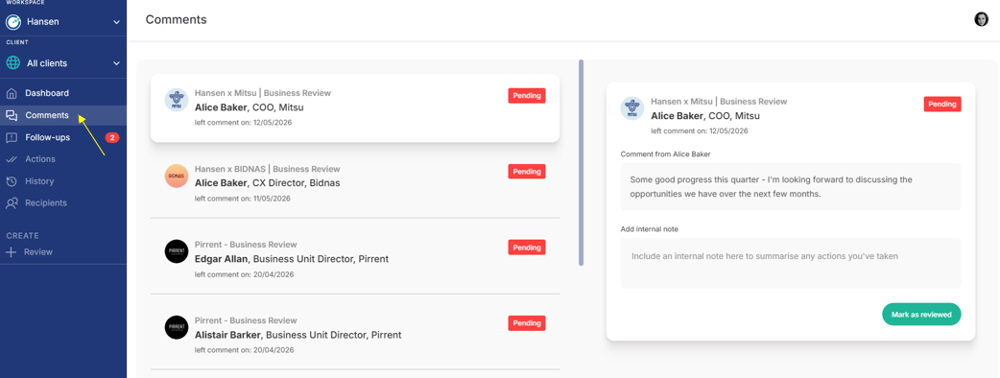
- Navigate to Comments from the left hand side panel
This article explains how to manage both within the platform, helping you track feedback and ensure it is acknowledged internally.
1. Managing feedback comments
When clients leave written feedback, it is available within the Comments section.
Step 1: Open the Comments page
Step 2: Review submitted comments
You will see a chronological list of all comments:
- Most recent comments appear first with older comments listed below. Select any comment to view it in full.
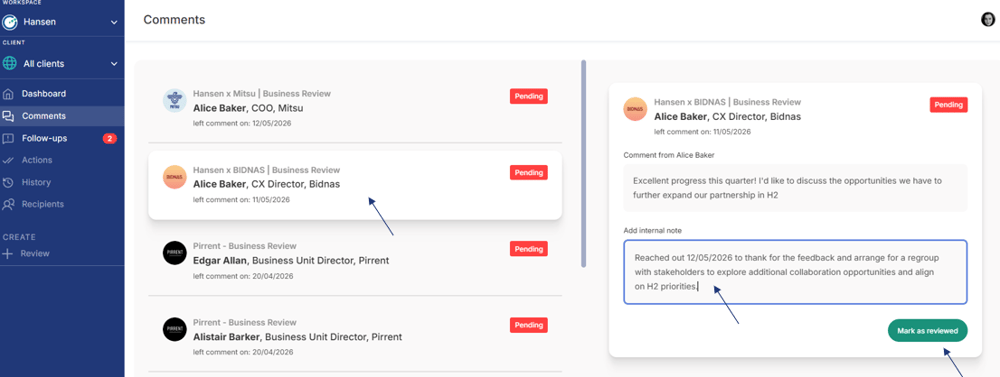
- Within each comment, you can:
- See whether it has been reviewed
- View any internal notes added by your team
- You can mark it as Reviewed and add an internal note to record any actions taken, if you are responsible for following up.
Note
Adding internal notes is optional, but recommended. If no note has been added, the comment will show as reviewed without additional detail.
2. Managing follow-up requests
Clients can request follow-up sessions with your Leadership team directly through reviews. These requests can be tracked and managed in the Follow ups section.
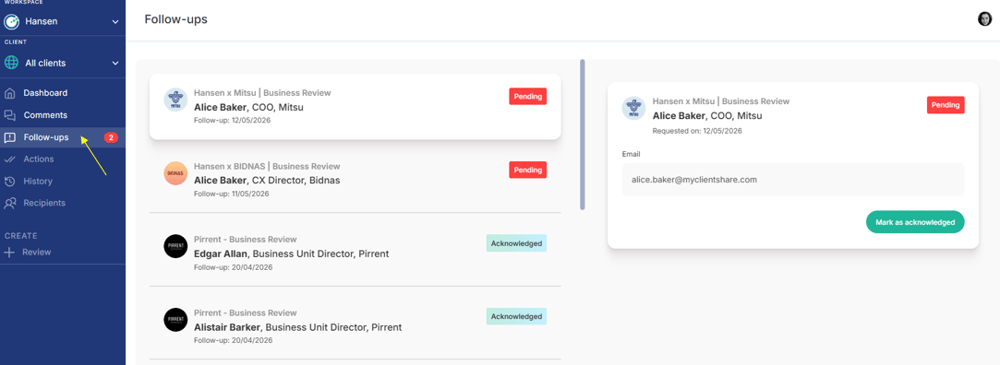
Step 1: Open Follow ups
- Log in to Pulse
- Navigate to Follow ups from the left-hand menu
Step 2: Review follow-up requests
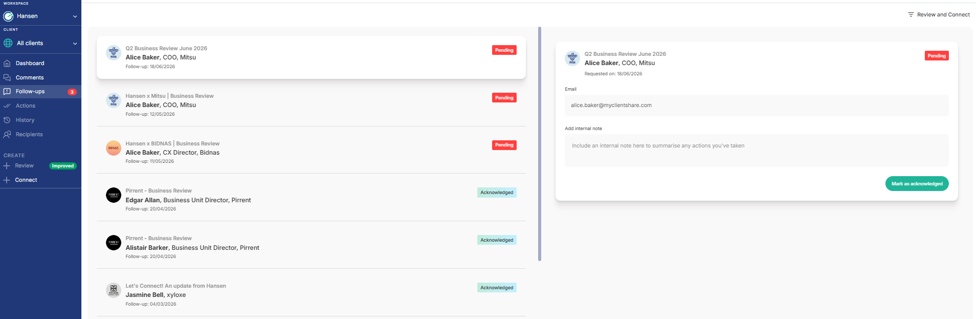
You will see a chronological list of all follow-up requests:
- Most recent requests appear first with older requests listed below. Select any in order to view in full.
- Within each follow-up request, you can:
- See whether it has been acknowledged
- View any internal notes added by your team
- If the request has not already been acknowledged, you can acknowledge it and add an internal note documenting any actions taken, provided you are responsible for the follow-up.
Read more: