The Clientshare Report provides a comprehensive export of your organisation's review data, making it easy to analyse client engagement, feedback, review activity, and platform adoption.
Important: This feature is available to Owner, Admin and Senior Manager user levels only.
Download the report
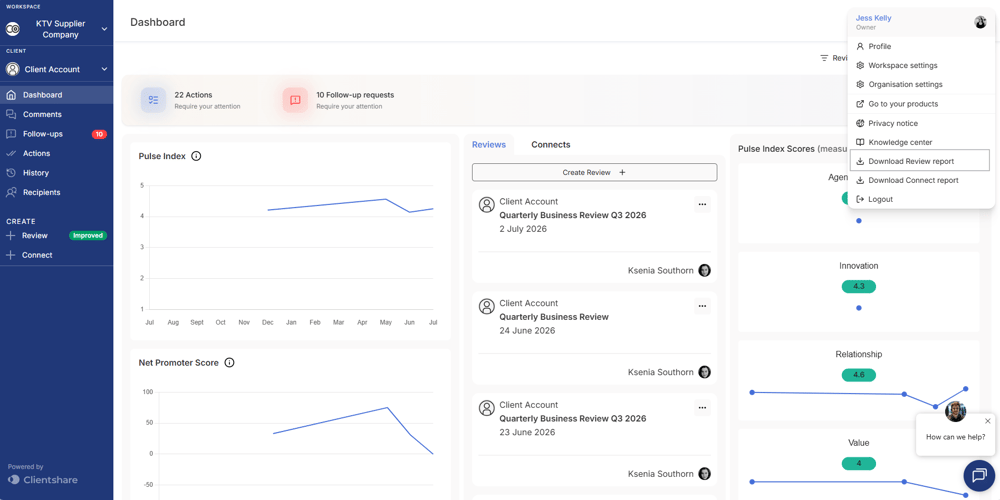
- Click your profile icon in the top-right corner of the platform.
- Select Download Review Report.
Once the download is complete, open the Excel file which would have downloaded to your device. The report contains four files, each providing a different view of your Clientshare data.

Client List
The Client List provides an overview of every client account within your access.
It includes information such as:
- Workspace and client names
- Account creation date
- Last review sent
- Total reviews sent
- Number of recipients
- Average CSAT and NPS
- Comments and follow-up activity
- Assigned Account Managers, Senior Managers, Admins and Owners
- Review title and sent date
- Workspace and client
- Number of recipients
- Video, content and next steps included
- Opens and engagement
- CSAT and NPS results
- Comments and follow-up requests
- Review owner and review language
- Recipient details
- Review opened
- Scores submitted
- CSAT and NPS
- Individual metric scores
- Comments
- Follow-up requests
- Acknowledgement status
- User details and role
- Login status
- Profile completion
- Assigned workspaces
- Assigned client accounts
Use this file to monitor overall client engagement, account activity and ownership.
Reviews List
The Reviews List contains a record of every review sent from Clientshare.
It includes information such as:
Use this file to analyse review activity and engagement across your portfolio.
Review Recipients
The Review Recipients tab provides recipient-level engagement and feedback for every review.
It includes information such as:
Use this tab to review individual stakeholder engagement and analyse submitted feedback.
User List
The User List provides an overview of everyone with access to the accounts within your account access on Clientshare.
It includes information such as:
Use this file to monitor platform adoption, user setup and account assignments.
Read more:
.png?width=300&height=225&name=support-article-thumbnail%20(17).png)