Almost every Business Review includes performance data. It's usually one of the first things on the agenda, and it's often the part that takes longest to prepare.

What gets less attention is how that data reaches the review. In many organisations, the process hasn't changed much in years: someone exports figures from a reporting tool, rebuilds the charts in a slide deck and sends it round before the meeting. By the time the customer sees it, the numbers may already be several weeks old.
So, what happens to the conversation when your reporting is live and shared, rather than copied into a presentation?
The problem with snapshot reporting
A screenshot of a dashboard captures a single moment. That's fine for a record, but it creates problems when two organisations are trying to make decisions together.
The first problem is timing. If performance has shifted since the deck was built, the review is discussing a position that no longer exists. Customers often know this, because their own teams see what's happening day to day and, when their experience doesn't match the chart on screen, the meeting can quickly turn into a debate about whose figures are right.
The second is depth. A static chart answers the question it was built to answer, and nothing more. When a customer asks why one area dipped in August, the answer is often ‘we'll come back to you on that’. The follow-up gets added to the action list, and the moment for a useful discussion has passed.
There's also a subtler issue of trust. When the supplier chooses and presents every number, the customer is relying on that selection. Most customers won't question it openly, but some will quietly wonder what didn't make it onto the slide. Shared reporting removes that doubt, because transparency is built into how the data is presented.
What changes when both sides see the same data
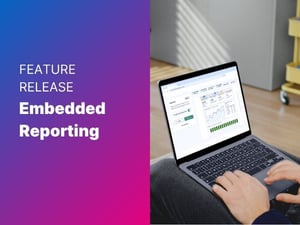
When customers can view the same live reporting as your account team, the role of data in the review shifts. It stops being something the supplier presents and becomes something both sides work from.
Conversations tend to move faster as less time goes on establishing what happened, and more goes on understanding why and agreeing what to do next. If a customer wants to look at a particular site or period, they can explore it during the meeting instead of waiting for a follow-up.

It also changes how the rest of the review lands. Performance data means more when it sits next to the discussion it relates to: the actions you've agreed, the feedback scores you've collected and the comments stakeholders have left. A rise in response times shown alongside a comment about staffing in a particular area tells a much clearer story than either would on its own.
It's better for the stakeholders who weren't in the room, too. Senior sponsors and finance contacts often catch up on a review afterwards. If the reporting is part of the review itself, they see current figures in context, rather than a PDF attachment that's already out of date.
Less time collecting data, more time using it
Before most Business Reviews, someone has to go looking for the numbers. That might mean requesting exports, chasing colleagues for the latest figures or pulling data from several systems, then rebuilding it all in a slide deck. It's repetitive and error-prone, and it has to be done repetitively for every customer in every cycle.
When reporting is connected once and carried forward into each review, that hunt disappears. The latest figures are already in place, so account managers get back the time they'd normally spend collecting and formatting data before every meeting.
That time can go somewhere more useful, like looking for patterns and thinking about what the customer will need next quarter. That's the work that makes a review feel like a partnership, and it's usually the first thing to get squeezed when a deadline is close.
5 practices for data-led Business Reviews
Live reporting works best with some structure around it. These practices help the data support the conversation rather than overwhelm it.
1. Agree the data set with your customer
Decide together which measures matter and how they're defined. For example, if you've both agreed what ‘on time’ means before the review, you won't spend the meeting disputing it.
2. Use one source of truth
Connect the reporting your operations team already maintains, rather than building a separate version for the review. The fewer times data is copied, the fewer chances it has to drift.
3. Share access before the meeting
Give stakeholders the chance to look at the reporting in advance. They'll arrive with better questions, and you can spend more of the meeting on the issues that actually concern them.
4. Be deliberate about who sees what
Operational reporting can include commercially sensitive or site-specific information. Make sure each stakeholder sees what's relevant to them. Share reporting in a secure environment, not as email attachments that can be forwarded anywhere.
5. Use the data to look forward
Live reporting makes it easier to spot emerging trends as well as review past performance. Use it to agree priorities and actions for the next period, then track progress against the same measures next time.
Final thoughts
Data doesn't replace the conversation in a Business Review, and it shouldn't dominate it. Better questions will always uncover things that never appear on a dashboard.
But the conversation is only as strong as the information underneath it. When both sides are looking at the same current, trusted figures, less time goes on checking the numbers and more goes on deciding what to do with them. That's where a Business Review starts to earn its place in the relationship.
---
Read more