
Alice takes you through Clientshare Connect and show you how to make the most of your ability to share updates and insights to build engagement with your lower-touch accounts.
Transcript:
Alice Baker: Hello, I’m Alice and I’m going to talk you through how to use Clientshare Connect.
In this walkthrough, I’ll show you how to use Connect to share updates with your customers, gather feedback, and stay connected, without needing to run a full formal review.
Connect is designed for ongoing customer engagement.
It’s particularly useful for long-tail or lower-touch accounts, or for keeping momentum between more formal reviews through regular or annual surveys.
With Connect, you can share structured updates, reach multiple stakeholders, and collect CSAT or NPS feedback, all in one place.
Let’s start by creating a new Connect update.
From your dashboard, select Connect on the left-hand navigation and choose the accounts you want to send it to.
You can include multiple stakeholders across different clients within the same update, meaning you can reach operational contacts, senior stakeholders or executive sponsors, without creating separate communications.
Next, you’ll add the content you want to share.
Connect supports multiple content formats, so you can include written updates, supporting materials or visuals, depending on what’s most appropriate for your audience.
The aim here is to get your most important content in front of your customers to keep them up to date with what you’re up to.
Before sending, you can review your update and make any adjustments.
While Connect allows you to engage at scale, you can still personalise messaging where needed, ensuring each of your selected clients and accounts receives information that feels tailored to them.
Your Connect will also include your Net Promoter Score, Pulse Index questions and a written feedback option. You can make the scoring optional for your recipients, but we recommend asking for their feedback – it makes it easy for customers to provide feedback without completing a separate survey or attending any additional meetings.
As customers respond, their feedback is captured within your Clientshare dashboards.
Written feedback gives you valuable context behind the scores, helping you understand what’s working well and where attention may be needed.
Connect also supports follow-up requests and automatically alerts you to submitted scores, feedback requests and written feedback.
This means you can quickly identify when a response needs action, for example if a score drops or feedback highlights a concern, and follow up as needed.
All Connect feedback feeds into Clientshare’s dashboards, allowing you to track trends across accounts and monitor customer sentiment over time. You are also able to filter by ‘Source’ on your dashboards to view the data you’ve collected via Connects, reviews, or both.
These insights help you prioritise actions, prepare for future conversations, and maintain a consistent approach to customer engagement.
In practice, Connect works best when you want to stay in regular contact with customers, but a full review meeting isn’t the right approach.
Many teams use Connect for lower-touch accounts, interim updates between reviews, to keep senior stakeholders informed without adding extra meetings, or to capture customer sentiment via an annual survey.
And that’s an overview of how to use Clientshare Connect!
By combining structured updates with built-in feedback, Connect helps you maintain strong, consistent engagement across your customer base, while keeping everything simple for both you and your customers.
If you have any queries about Clientshare Connect, please contact your Clientshare representative or email us at support@myclientshare.com – thanks so much for watching!
Read more:
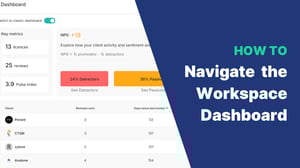
How to navigate your Workspace Dashboard


3 more ways to improve your QBRs
Not yet a Clientshare customer?
Learn more about Clientshare and our software solutions for service providers or request a product demo.